Best Photos for the Gas Station Dance AI Video (With Examples)
Which photos give the best gas station dance AI results, what each of the three shots needs, and the common mistakes that make a face or outfit come out wrong.
Your photos decide how good your gas station dance video looks. AI keeps the moves, the timing and the song from the original clip, but your face, hair and outfit come from what you upload. A clear photo gives you a video that actually looks like you.
The short version
Use a recent photo with one person, facing the camera, in even light, with the whole face visible. Full-body photos work best for the dance and the car exit. Skip sunglasses, hats, masks and heavy beauty filters.
Good photo vs. bad photo
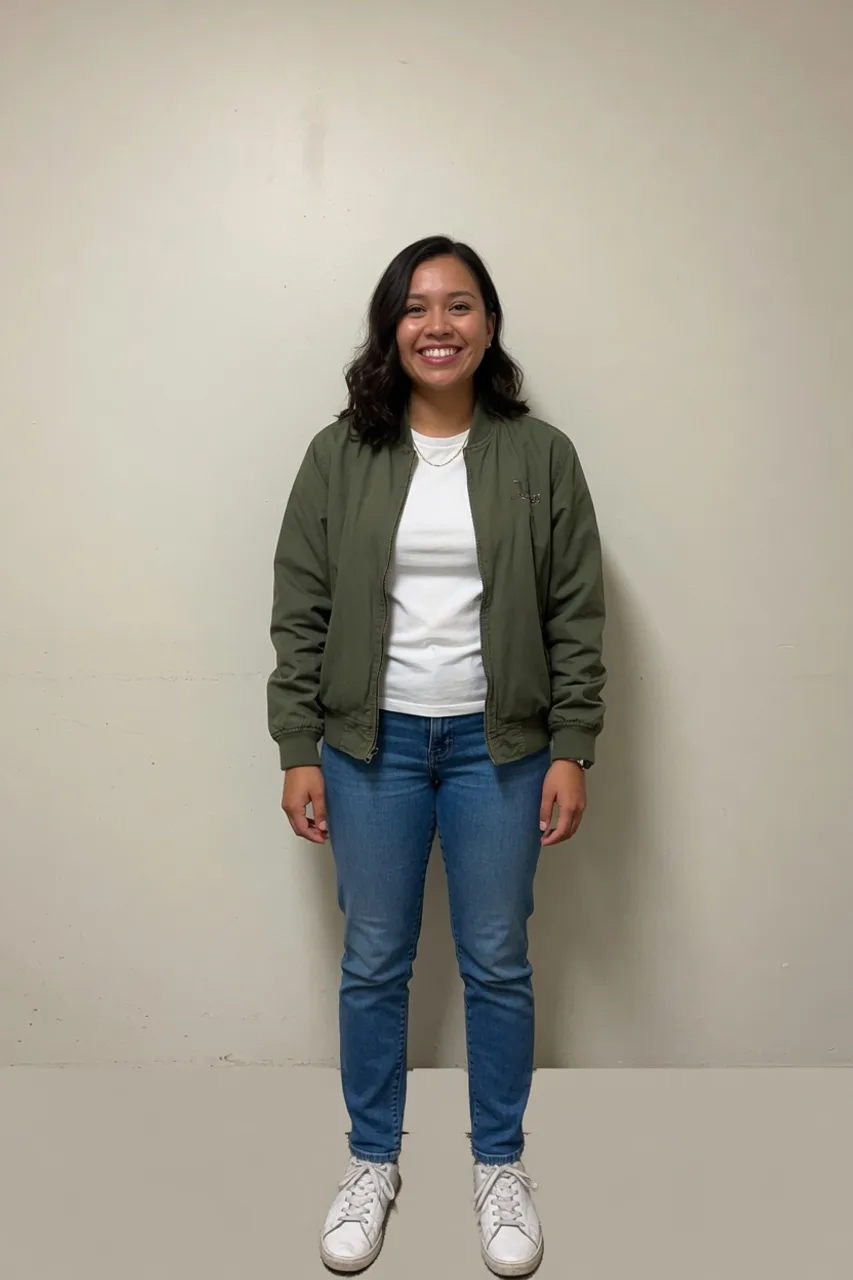
This works well. You can see the full body and the whole face, the light is soft and even, and nothing is covering the head. The AI has everything it needs: face, hair, outfit and shoes.
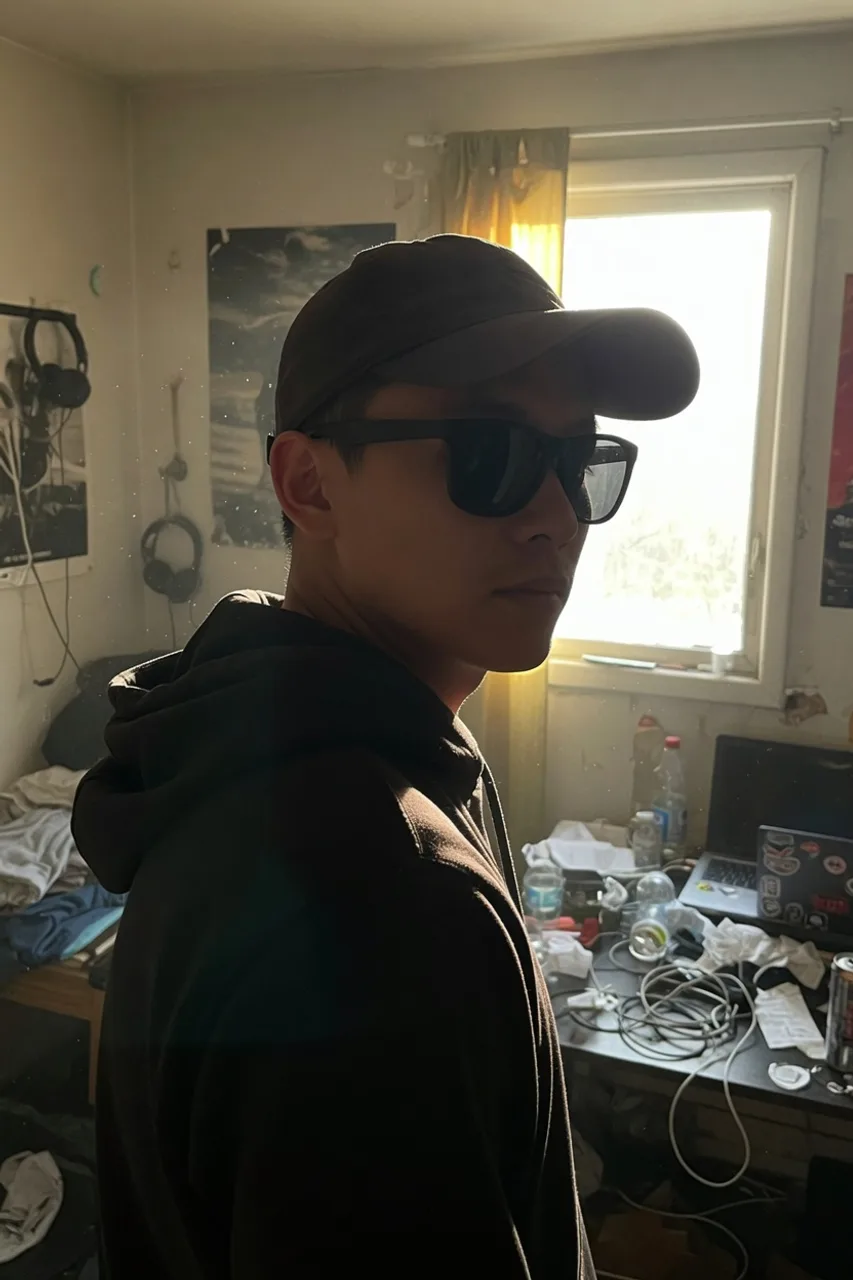
This one will struggle. It is cropped at the chest, the person is turned away, a cap and sunglasses hide the face, and the window behind him leaves his face in shadow. The AI has to guess, and guesses rarely look like you.
What each shot needs
The video has three shots, and each one uses your photo differently.
| Shot | Best photo | Why |
|---|---|---|
| 1. Dancer | Full body, face visible | The dancer moves across the whole frame, so legs, shoes and outfit all show. |
| 2. Selfie | Clear, close face photo | It is a close-up from the front camera, so the face matters most. |
| 3. Car exit | Full body, front-facing | The person steps out of the car and stands up, so the full outfit is on screen. |
In Just me mode one photo has to cover all three shots, so pick a full-body photo where your face is still sharp.
Checklist before you upload
- One person per photo
- Face fully visible, looking roughly at the camera
- Even light: daylight or a bright room, no strong light behind you
- No sunglasses, hats, masks or hands in front of the face
- No heavy filters or beauty effects
- Full body for shots 1 and 3, a clear face photo for shot 2
- JPG, PNG or WebP, up to 10 MB
Common mistakes
Group photos. The generator expects one person per photo. Crop a group photo down to one person, or use a different photo.
Old or heavily edited photos. Smoothing filters change your face shape and skin, and the video will look like the filter, not like you.
Mirror selfies with the phone over the face. The phone hides half the face. A photo someone else took works better.
Dark photos. Night photos with a single lamp leave half the face in shadow. Go outside or stand facing a window.
Cropped outfits. If the photo stops at your chest, AI invents the rest of your outfit. That can be fun, but if you want your own jeans and sneakers in the video, show them.
Whose photos can you use?
Only adults who agreed to be in the video. No celebrities and no minors. If a photo is rejected, your credits are refunded automatically.
Next step
Got your photos? Follow the step-by-step guide, or go straight to the generator.