How to Make a Gas Station Dance AI Video From Your Photos
A step-by-step guide to making the gas station dance video with AI, alone or with two friends, from picking photos to posting on TikTok, Reels and Shorts.
To make a gas station dance AI video with Gas Station Dance AI, upload one photo for solo mode or three photos for a trio, sign in, buy credits, and generate. You get a vertical 720p MP4 of about 16 seconds with the dance, selfie and car-exit shots and the song included. The $8.90 starter pack covers one video; no subscription is required.
Here is the whole process, with screenshots from our generator.
What you get
Before the steps, here is what a finished video looks like. These are frames from real videos made with the generator: shot 1 is the dance, shot 2 is the selfie, and shot 3 is the car exit.
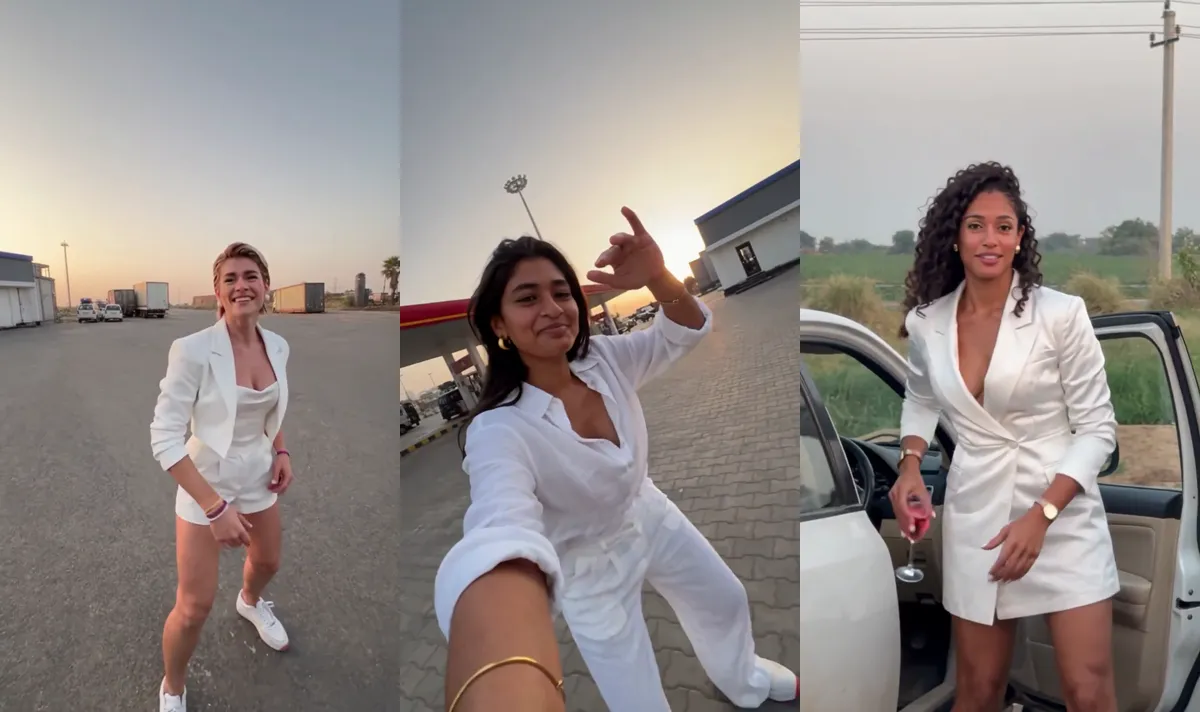
The result is a vertical (9:16) MP4 in 720p, about 15 to 16 seconds long, with the original song, "On And On" by Akcent, already in it. It is the right shape for TikTok, Instagram Reels and YouTube Shorts.
Step 1: Choose who is in it
The generator has two modes:
- Me + 2 friends (3 photos). Each person gets one shot, in order: dancer, selfie, car exit.
- Just me (1 photo). You play all three roles.

Not sure which to pick? Solo vs. friends covers who should play which role.
Step 2: Add your photos
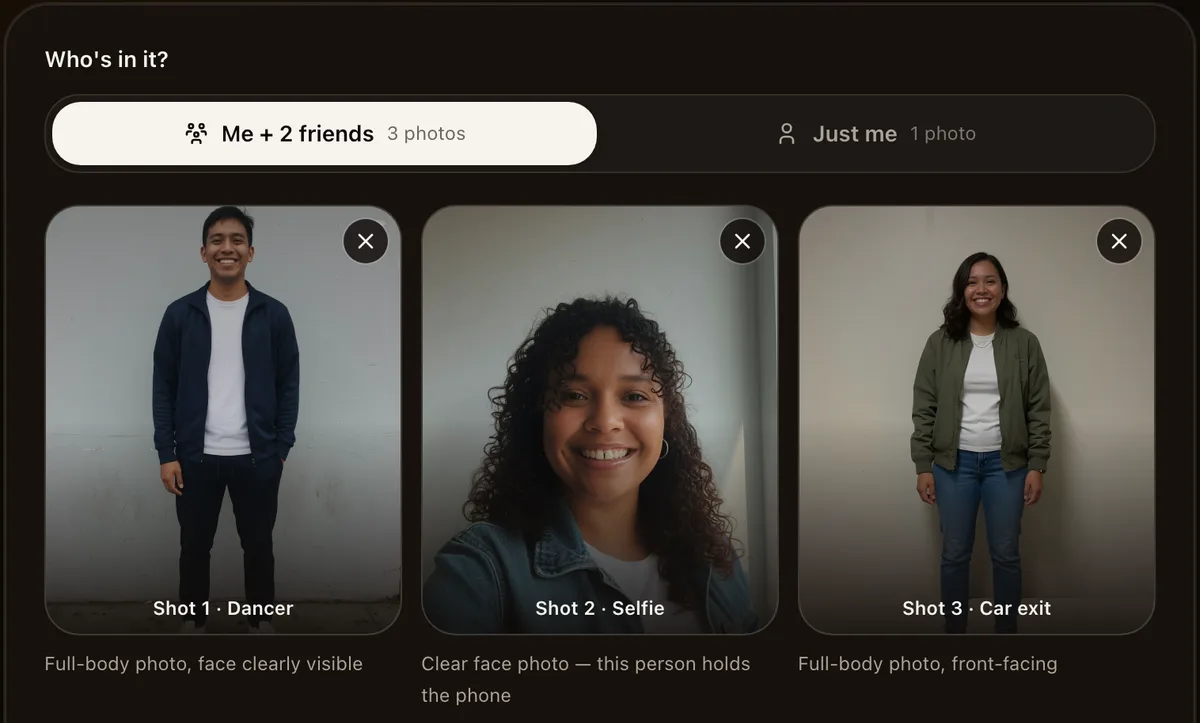
In Me + 2 friends mode, every slot is labelled with its shot so you know whose photo goes where:
- Shot 1 · Dancer. A full-body photo with the face clearly visible.
- Shot 2 · Selfie. A clear face photo. This person "holds the phone".
- Shot 3 · Car exit. A full-body, front-facing photo.
In Just me mode there is a single slot. One clear, full-body photo works best because it has to carry all three shots.
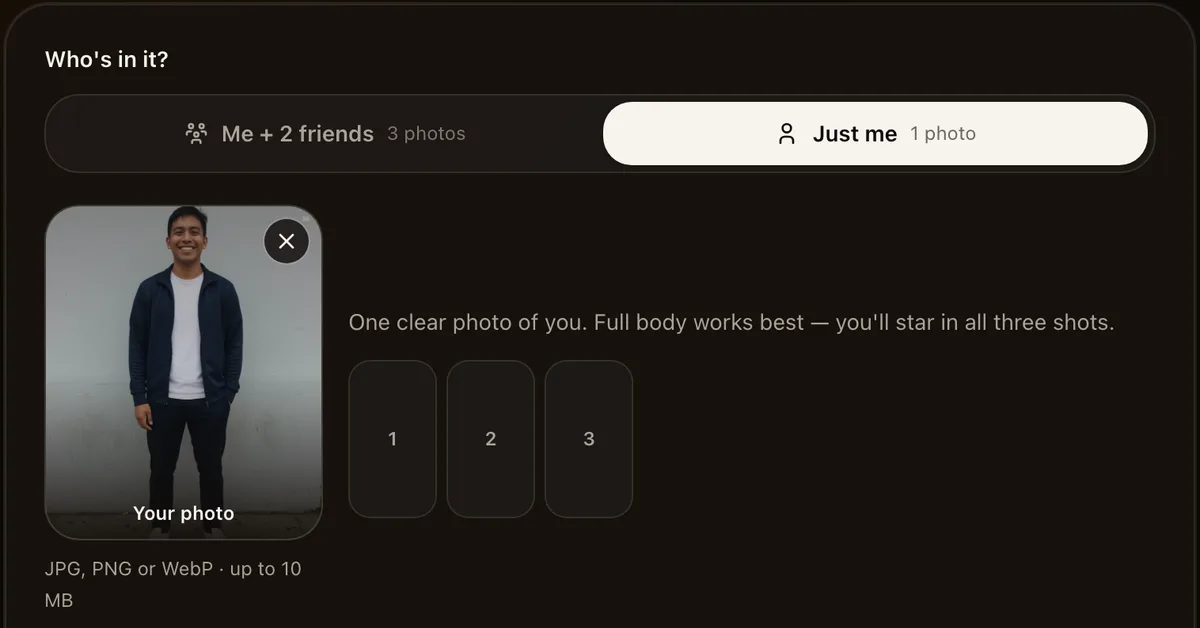
Photos can be JPG, PNG or WebP, up to 10 MB each. The quality of your photos matters more than anything else, so it is worth reading which photos work best before you upload.
Only use photos of adults who agreed to be in the video. No celebrities and no minors.
Step 3: Generate
Sign in (Google works), choose a credit pack, and press Generate. Each video uses 100 credits in either mode; the $8.90 starter pack includes 100 credits. Larger packs are also available. Check the current price before buying. The video goes through three stages:
- Putting you in the scene
- Copying the dance moves
- Adding the song
It takes about 4 to 5 minutes. You do not need to keep the tab open: leave and come back, and the video keeps going. If a video fails, for example because a photo was too dark, your credits go back to your balance automatically.
Step 4: Download and post
When it is done, press Download MP4. The file already includes the song, so you can post it as it is.
A few tips for posting:
- Use the trend's sound. On TikTok or Reels, attaching the official "On And On" sound puts your video on the sound page next to every other remake. See the gas station dance song.
- Tag your friends. In a three-person video, tag the dancer, the selfie and the car exit. Each of them will want to repost it.
- Keep the caption short. "Gas station at 6am be like" or "We did the Litvin dance" is plenty. The first second of the video does the explaining.
- Use the names people search for: #gasstationdance, #litvindance, #gasstation.
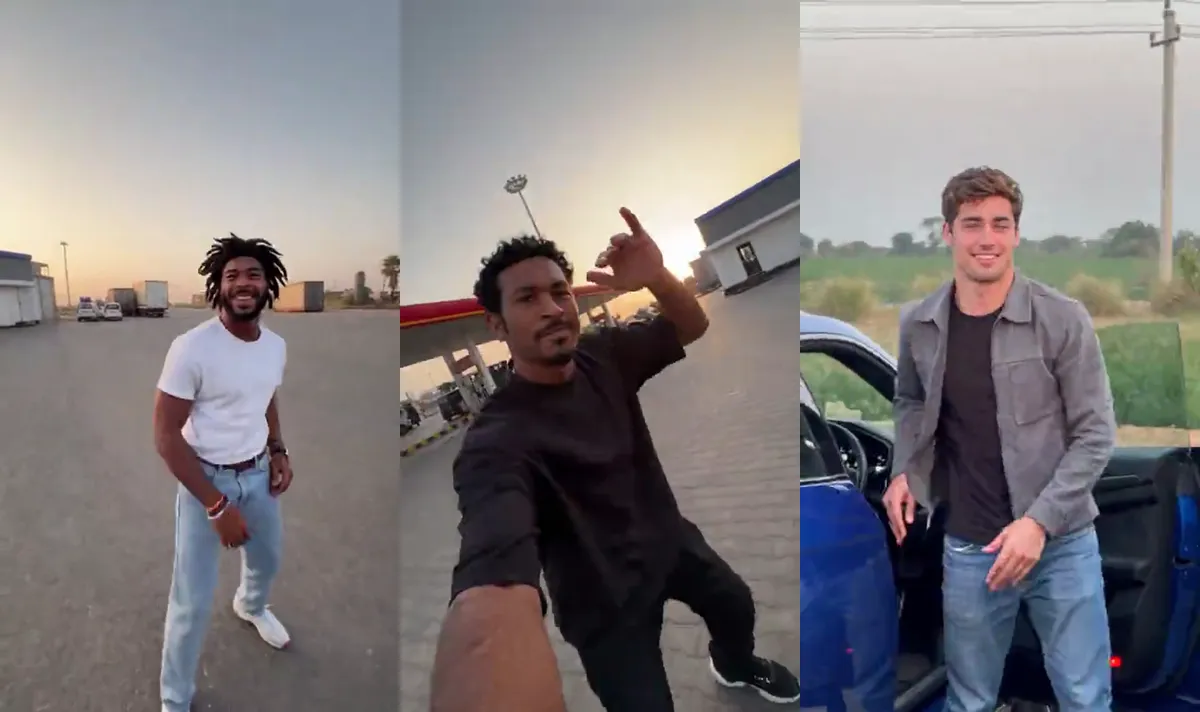
Here is another finished example, this time with a dancer, a selfie and a car exit from three different people:
Troubleshooting
The face does not look like me. Use a brighter, front-facing photo without sunglasses, hats or heavy filters.
My outfit changed. The outfit comes from your photo. If the photo is cropped at the chest, AI fills in the rest. Use a full-body photo to keep your whole outfit.
The video failed. Your credits are refunded automatically. Try again with a clearer photo.
Need a different length or more controls? See our gas station dance AI generator comparison.